The AI can now spot chokepoints on the map.
That means it can tell when one ordinary hex is not so ordinary: a bridge, a one-tile pass, or the only gap through a line of blocking terrain. Setting up a battle also got a new, step-by-step lobby, the game moved to a bigger server, and the same chokepoint detection is going into the map editor next.
The AI now sees chokepoints
Until now, the AI mostly judged tiles one by one.
A forest was good because it gave cover. A mountain was slow to cross and hard to remove a unit from. That worked, but it missed something important: sometimes the value of a tile comes from what it connects.
A plain hex with no special defense can still matter if it is the only route between two parts of the map.
The AI detects those tiles now. It looks for narrow passable points that connect larger areas: bridge tiles, one-wide mountain passes, gaps through forest or walls. If you have ever blocked a doorway with one unit and watched the enemy pile up behind it, that is the kind of tile this is about.
A unit holding a chokepoint now gets a bonus. The bonus grows if the tile is under fire. If the AI has to choose between an open forest and a pass with the same defense value, it now prefers the pass.
That part is working, and it has been running in live games for a while now. The write-up is new, the change is not.
Watching those games has been the fun part. I have seen the AI put a unit on a bridge at the right moment and make a crossing expensive, and I have seen it hold on to a pass long after it should have left. Good or bad, both are new. Before this change, a pass was just another hex to the AI.
A new way to set up a battle
Creating a match used to be one long form: every option on screen at once, most of them meaningless until you had already picked a map.
The new battle lobby is a wizard instead. Four steps, in the order you actually think about them: pick the battlefield, set the rules, fill the player slots, start. Each step explains what it does, so options like Fog of War come with a sentence about what they change instead of just a toggle.
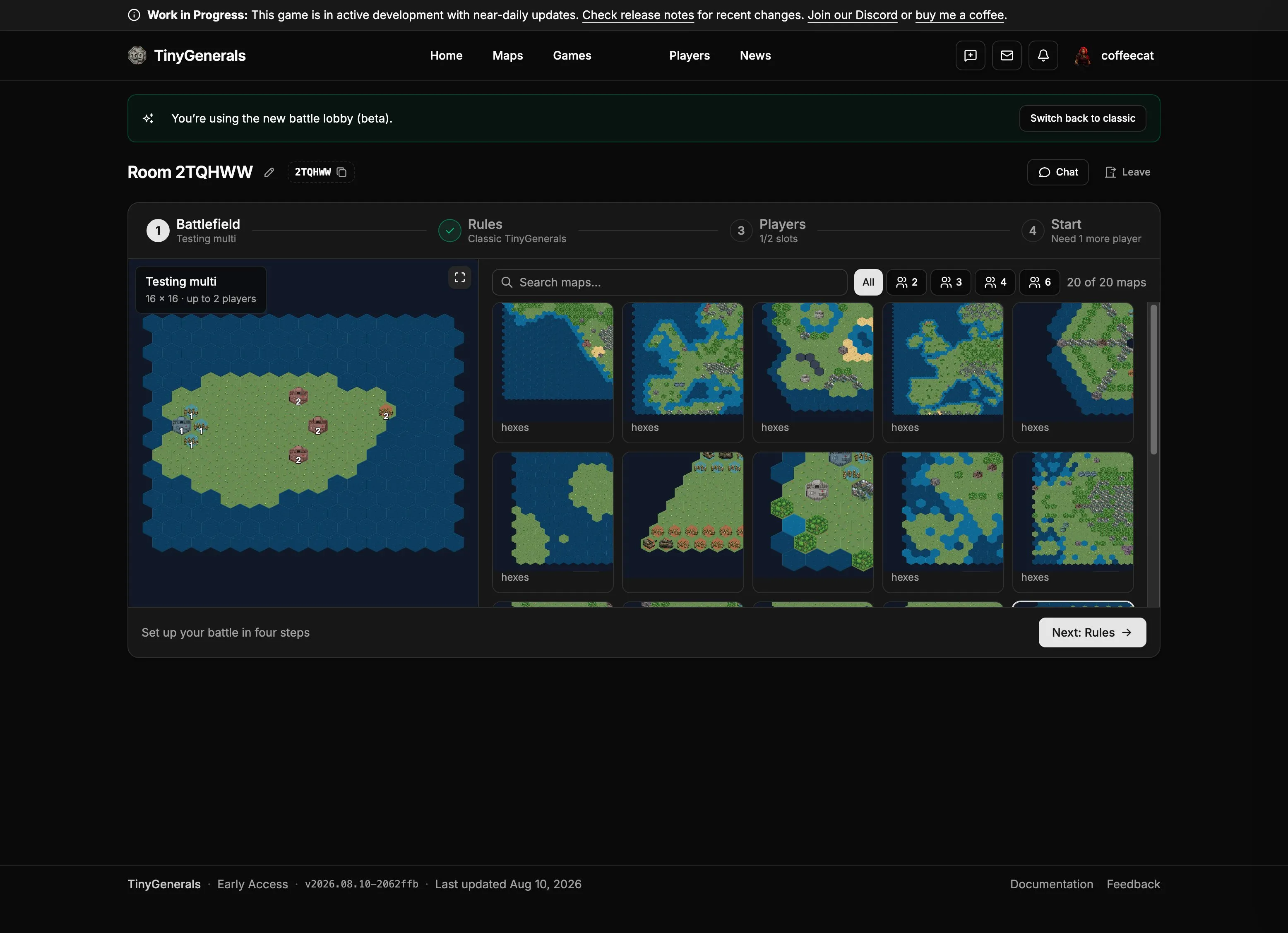
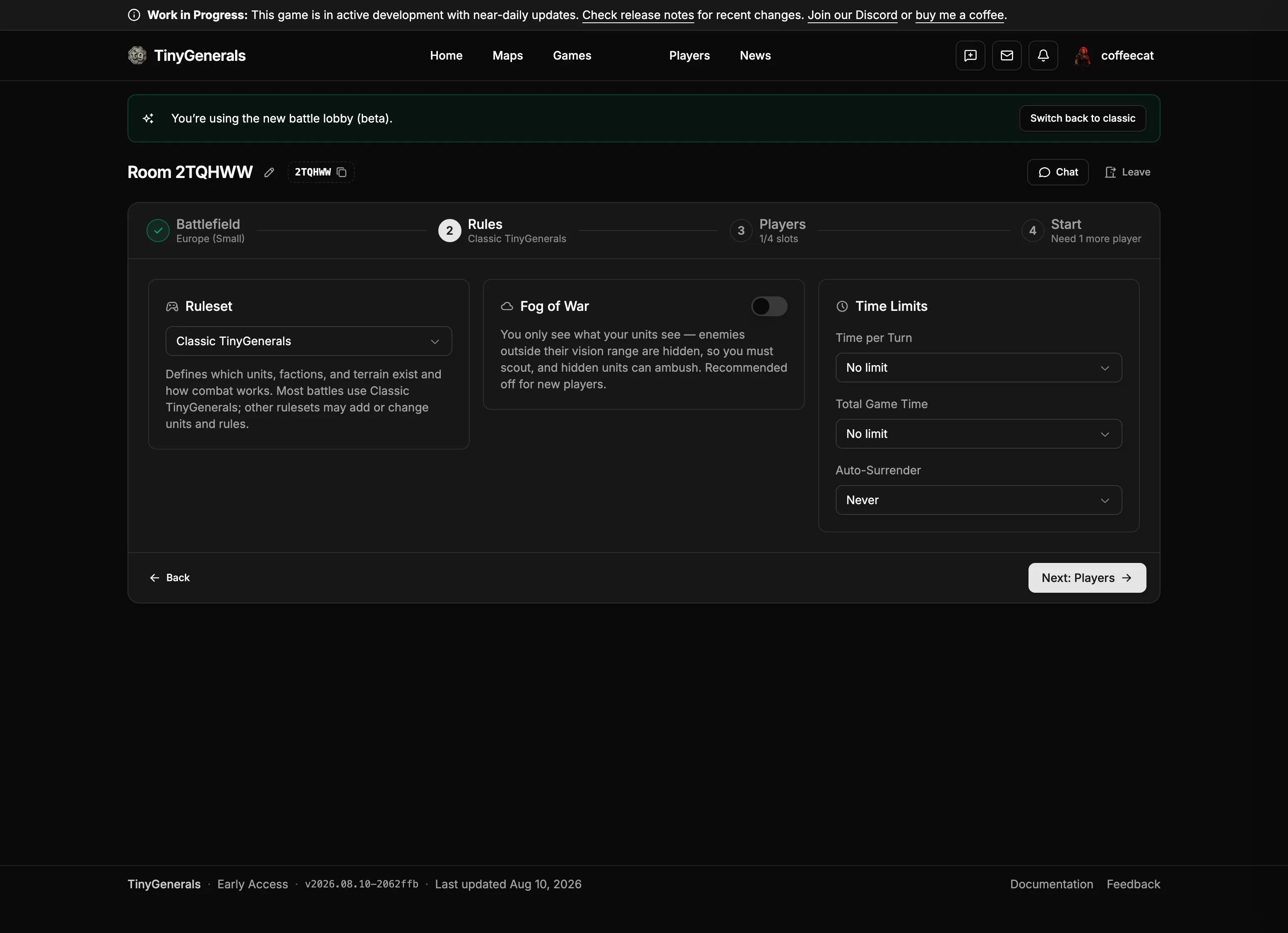
It is in beta and opt-in: there is a button in the room to switch back to the classic lobby if the wizard gets in your way. Feedback on it is very welcome.
A new server
TinyGenerals also moved to a new server.
The old one was getting tight during deploys. Building the frontend and backend at the same time could run it out of memory, and a few failed builds came too close to serving a broken site live.
The new server has more room.
Chokepoints in the map editor
The same map analysis can also help map makers.
The plan is to show chokepoints as an overlay in the map editor. It should point out places where a map may stall: one fragile route between both sides, a one-tile pass with no useful way around it, or a bottleneck one player can reach much earlier than the other.
Those patterns do not make a map invalid. Some maps should have hard chokepoints. Some should have none. The overlay is just a warning layer for things that are hard to see until you have played the same map several times.
That is not live yet. The detection is done, and the editor view is the next part.
What’s next
Chokepoints are one piece of a longer run of AI work. The next step is making the AI more flexible: planning across several turns and more than one unit, instead of judging each move on its own. That is when the self-play numbers should start to mean more.
After that, I want to spend more time on playability around the match itself.
More when there is something to show.
TinyGenerals is developed independently. Financial support lets me spend more time on development.
Discussion, feedback and development updates can be found on Discord.
- Patreon: https://www.patreon.com/cw/reperspective
- Discord: https://discord.gg/EnyPDwgN3z